Don't Buy the 6 Series R625 2019 Until You Read This Full Analysis
The TCL 6 Series R625 (2019) arrived as a headline-grabbing value proposition: QLED colors, full-array local dimming, and the Roku smart platform bundled into a price that undercut many legacy brands. That made it an instant favorite for buyers who wanted the biggest visual step up without the sticker shock of a flagship OLED or top-tier QLED. This article delivers a comprehensive, practical analysis for anyone considering the R625 in the real world — covering picture performance, smart features, gaming behavior, sound, ergonomics, and how it stacks up against alternatives. Read this before deciding whether the R625 suits the user's needs and environment.
Introduction: Where the R625 Fits into the Market
At launch, the R625 targeted buyers who prioritize picture quality and value over the last word in features. It embraced quantum-dot color enhancement and a full-array backlight with local dimming to improve contrast — promising deep blacks and punchy HDR highlights at a mid-range price. Importantly, it shipped with Roku TV software, which remains one of the simplest and most polished smart-TV experiences for general users.
But price-driven success doesn't guarantee a universal fit. Potential buyers typically care about: HDR tone mapping, contrast and black levels in mixed-content viewing, gaming latency and feature support, off-axis viewing for family rooms, and whether built-in speakers are usable without a soundbar. This review addresses exactly those concerns and provides practical guidance for different use cases.
Detailed Product Analysis
Design and Build
The R625 follows a pragmatic design approach: narrow bezels, a stable stand, and a matte screen surface that reduces reflections. It is not competing with ultra-thin premium models in aesthetics, but build quality is solid for its class. The back panel and port layout prioritize accessibility; however, cable management is minimal compared with more expensive models. Wall mounting is straightforward using standard VESA brackets.
Display Technology and Picture Quality
The R625 uses quantum-dot enhancement to widen its color gamut compared with traditional LED-LCDs in the same price bracket. For everyday viewing — streaming shows, sports, and movies — this results in noticeably richer, more saturated hues, especially in bright scenes and colorful content.
Crucially, the TV includes full-array local dimming (FALD), which dramatically improves perceived contrast versus edge-lit panels. In dark-room movie scenes, the R625 can produce deep blacks and reduce the washed-out look that plagues many mid-range LCDs. That said, local dimming performance depends on the number and aggressiveness of dimming zones. In complex scenes with small bright objects on dark backgrounds, haloing and blooming can still be visible — common trade-offs with FALD implementations at this price.
HDR performance is strong for the class. The R625 supports popular HDR formats used by major streaming services and UHD discs, and its peak highlights are punchy enough to deliver satisfying specular highlights on HDR10 and Dolby Vision content. Tone mapping is generally pleasing, though it may clip extremely bright highlights compared with high-end flagships that retain greater HDR peak luminance.
Viewing Angles and Panel Characteristics
The R625 uses a VA-type panel, which delivers superior native contrast and black levels compared with IPS alternatives. The trade-off is narrower off-axis performance: colors and contrast shift when the viewer moves away from center. For single-viewer setups or dedicated home theaters, this is acceptable; in wide living rooms where viewers sit at sharp angles, perceived contrast will drop and color saturation will fade.
Smart Platform and User Experience
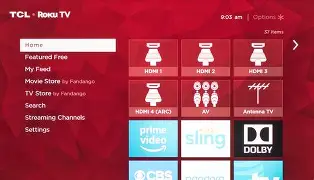
Roku TV is one of the R625's strongest assets. The interface is fast, well organized, and offers a vast app ecosystem. Users who value simplicity will appreciate Roku's consistent navigation, universal search, and frequent platform updates. For households that prefer voice assistants, the R625 supports common third-party voice integrations through remote or connected devices.
Discover deals on TVs & Home Theater — updated daily.
View Offers →Gaming Performance
Gamers on a budget often consider the R625 because it delivers low input lag at 4K/60Hz, making it a good match for modern consoles and PC gaming at 60 frames per second. It includes a game mode that reduces post-processing to lower latency. What it lacks compared with later-generation models is HDMI 2.1-level support: features like 4K at 120Hz native, advanced VRR implementations, and dedicated next-gen console passthrough are not part of the package. Buyers seeking the absolute best future-proof gaming experience should weigh that limitation carefully.
Audio Performance
Onboard speakers provide clear dialogue and acceptable levels for casual viewing, but they lack bass depth and wide soundstage. For cinematic content and music, a soundbar or external audio system is recommended. The R625 supports the usual audio output options for connecting external systems, though users relying on TV speakers alone should temper expectations.
Calibration and Out-of-the-Box Settings
Out of the box, the R625 delivers vivid color and punchy contrast, which many buyers will find attractive. Enthusiasts who want more accuracy will benefit from professional or manual calibration: adjusting gamma, color temperature, and local dimming aggressiveness reduces clipping and improves skin tones. The TV offers enough picture controls for meaningful improvements, but users should be comfortable with calibration or seek professional help for optimal results.
Real-World Use Cases
Home Theater Enthusiast on a Budget
For someone creating a dark-room home theater without spending flagship dollars, the R625 is an excellent option. Its strong contrast and local dimming produce impressive blacks for movie nights, and Dolby Vision support improves HDR realism. Pairing it with a mid-range soundbar closes the audio gap and creates a compelling cinematic setup.
Family Living Room with Mixed Viewing
In a typical family living room where content ranges from sports to streaming shows to games, the R625 balances color and contrast well. However, if the seating area forces many viewers to sit wide off-axis, the TV's narrower viewing angles can be a drawback; consideration should be given to seating arrangement or choosing an IPS-type panel alternative if wide-angle viewing is essential.
Casual and Competitive Gamers
Casual gamers will appreciate the low latency and responsive feel at 60Hz. Competitive players who chase 120Hz gameplay or want advanced HDMI 2.1 features might find the R625 limiting. For multiplayer setups and couch co-op, the TV performs well; for professional-level competitive gaming, a more gaming-focused display will be preferable.
Pros & Cons
- Pros:
- Excellent value for the picture quality it delivers in its class
- Quantum-dot color yields wide and vibrant color gamut
- Full-array local dimming improves contrast and black levels
- Roku TV provides a fast, user-friendly smart experience
- Low input lag at 4K/60Hz for responsive gaming
- Cons:
- Narrower viewing angles typical of VA panels—color and contrast shift off-axis
- Visible haloing/blooming in high-contrast, small-highlight scenes
- No HDMI 2.1 features (e.g., 4K@120Hz), limiting future-proofing for next-gen gaming
- Built-in speakers are serviceable but lack bass and width
- Local dimming performance is good for the price but not flagship-grade
Comparison: How the R625 Stacks Up
| Feature | TCL 6-Series R625 (2019) | Typical Mid-Range 4K LED | Premium Alternative (e.g., higher-end QLED/OLED) |
|---|---|---|---|
| Panel & Color | VA-type with quantum-dot enhancement for wide color gamut | Often edge-lit IPS or VA with narrower gamut | Top-tier QLED/OLED with superior color volume and fidelity |
| Local Dimming | Full-array local dimming — noticeably better contrast than edge-lit | Edge-lit or limited local dimming — poorer blacks | Superior zone control or self-emissive (OLED) — best blacks |
| HDR | Supports HDR10 and Dolby Vision; good HDR performance for class | HDR10 often supported; tone mapping weaker | Advanced tone mapping and higher peak brightness |
| Smart Platform | Roku TV — simple, fast, extensive app support | Varied (manufacturer apps) — inconsistent UX | Premium platforms, often feature-rich but more complex |
| Gaming | Low input lag at 4K/60Hz; lacks HDMI 2.1 | Variable — often higher input lag | Advanced features (HDMI 2.1, 4K@120Hz, VRR) on top models |
| Audio | Basic built-in speakers — best to add a soundbar | Similar — manufacturer-dependent | Higher-end sets often have better integrated audio systems |
| Value | Outstanding for price when picture quality is prioritized | Moderate — some cheaper options but lower picture quality | Expensive — top performance but higher cost |
Buying Guide: Is the R625 the Right Choice?
1. Define the Primary Use Case
Buyers should start by clarifying primary usage: is the TV for a dedicated dark-room home theater, a family living room, or a gaming setup? The R625 excels in dark-room and mixed-content scenarios where contrast and color pop matter most. If the living room requires wide off-axis viewing or if next-gen gaming features are a must, an alternative might be better.
2. Consider Room Lighting and Seating
For dimly lit rooms where movies dominate, the R625's strong contrast and local dimming are advantages. In bright, sunlit rooms, reflections and lower peak brightness versus premium models may reduce HDR impact; buyers should evaluate the viewing angle and ambient light. Seat placement matters: central seating preserves color and contrast, while wide seating reduces perceived quality.
3. Gaming Requirements and Future-Proofing
If the buyer owns next-gen consoles or plans to play at 120Hz and higher frame rates in the future, the absence of HDMI 2.1 on this 2019 model limits long-term suitability. For 4K/60Hz gaming and consoles that don't require 120Hz, the R625 offers excellent responsiveness. Evaluate whether low input lag at 60Hz is sufficient or whether advanced VRR and higher refresh rates are necessary.
Find top-rated TVs & Home Theater products at great prices.
Shop Amazon →4. Audio Needs
Plan for audio separately. The R625's speakers handle dialogue adequately but will underdeliver for cinematic soundtracks and music. Budget for at least a mid-range soundbar if immersive audio is important.
5. Calibration and Picture Settings
Out-of-the-box settings favor punch and brightness. Buyers who want color accuracy should be prepared to spend time on manual calibration or hire a calibrator. Familiarity with picture modes (Movie/Cinema, Standard, Game) and disabling excessive processing features can yield a more faithful image.
6. Warranty, Support, and Longevity
Check local warranty terms and service support before purchasing. TCL offers standard manufacturer warranties but coverage varies by region. Because the R625 represents a performance-oriented value option, buyers should verify service options and parts availability for the long term.
7. Price vs. Alternative Trade-offs
Assess how much premium one is willing to pay for incremental gains. The R625 delivers much of the visible picture improvement found in pricier models, but premium displays excel in peak brightness, zone control, and viewing angles. If budget allows, compare the R625 to the latest generation 6-Series or higher-tier models to judge the value delta.
Maintenance and Practical Tips
- Firmware Updates: Keep the TV updated — Roku and TCL occasionally release performance and compatibility fixes.
- Placement: Allow airflow around the TV; avoid enclosing it in tightly sealed cabinets which can increase panel temperatures.
- Calibration Shortcuts: Use the built-in Movie/Cinema mode as a starting point, reduce brightness/contrast extremes, and disable unnecessary motion smoothing if film accuracy is desired.
- Audio Pairing: For soundbars, prioritize HDMI ARC/eARC connectivity for best convenience and compatibility.
Conclusion
The TCL 6 Series R625 (2019) remains a compelling option for buyers who want premium-perceived picture quality without paying flagship prices. It offers wide color from quantum-dot enhancement, meaningful contrast improvements via full-array local dimming, and one of the best smart-TV experiences through Roku. Real-world buyers will appreciate its movie performance in dark rooms and its low-latency behavior at 4K/60Hz for gaming.
However, it is not without trade-offs. Viewing-angle limitations, local-dimming halo in challenging scenes, modest onboard audio, and the absence of HDMI 2.1 features for 120Hz gaming are factors that matter depending on the buyer's priorities. The R625 is an excellent value when contrast and vivid color are top priorities and when seating is centered. Those who require wide-angle viewing for large gatherings, the absolute best HDR peak brightness, or future-proofed gaming features should weigh those needs against the R625's strengths before buying.
Ultimately, the R625 delivers a strong value proposition: it brings many hallmarks of high-end picture quality to a budget-conscious package. Buyers who understand its limitations and match them to their viewing habits will find it a smart, practical choice.